HP vs Samsung Monitors: Which Brand to Choose? (November 2026)
HP wins for most desk setups because its entry monitors give you IPS color, height adjustment and built-in speakers without a big spend. Samsung is the better call when you want a curved screen or 100Hz motion at a lower price.
On this page (9 sections)
- HP vs Samsung monitors side by side
- Which brand gives you better color and viewing angles?
- Is the refresh rate gap between HP and Samsung worth paying for?
- Which brand handles comfort and posture better?
- How do the brands compare on sound and ports?
- Which brand does curved screens better?
- Who should buy HP monitors?
- Who should buy Samsung monitors?
- The verdict on hp vs samsung monitor
HP wins for most desk setups because its entry monitors give you IPS color, height adjustment and built-in speakers without a big spend. Samsung is the better call when you want a curved screen or 100Hz motion at a lower price.
This hp vs samsung monitor comparison sticks to two models from each brand, all close to Full HD. The gap between them is small, and it comes down to the details that shape how a screen feels at 9 in the morning and at 9 at night.
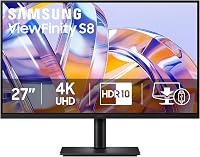
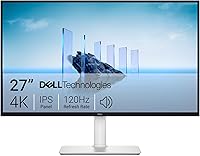
The HP 24mh leads on value, the HP Series 3 adds a bigger canvas, the Samsung Essential S3 brings the curve and the Samsung 27" sits at the budget end. Each has a clear place in a lineup.


HP vs Samsung monitors side by side
HP edges ahead on the desk-friendly details while Samsung offers a curved panel Samsung alone sells in this price tier. The table below lines up the four screens on the specs that change daily use.
| HP 24mh | HP Series 3 27 | Samsung Essential S3 | Samsung 27" | |
|---|---|---|---|---|
| Size | 23.8 in | 27 in | 27 in | 27 in |
| Panel | IPS | IPS | Curved LED | IPS |
| Resolution | 1920 x 1080 | 1920 x 1080 | 1920 x 1080 | 1920 x 1080 |
| Refresh | 75 Hz | 100 Hz | 100 Hz | 100 Hz |
| Contrast | High | 1300:1 | 3000:1 | 1000:1 |
| Ports | HDMI, DisplayPort, VGA | HDMI, DisplayPort, VGA | HDMI, D-Sub | HDMI, D-Sub |
| Speakers | 2 x 2W | 2 x 2W | None | None |
| Stand | Height and tilt | Height and tilt | Tilt | Tilt |
Every screen here is Full HD, so the sharpness difference between them is modest. What separates the brands is how each one treats your body, your ears and your cable drawer.
The HP pair covers HDMI, DisplayPort and VGA, while the Samsung pair offers HDMI and D-Sub. If your PC has a DisplayPort output and you would rather use it, HP saves you an adapter.
Contrast is where Samsung pulls ahead on paper. The Essential S3 hits 3000:1, and deeper blacks genuinely help dark scenes in games and films.
Size and weight differences
The 24mh is the lightest of the four at 9.9 pounds, while the HP Series 3 is the heaviest at 12.9 pounds. That matters if you plan to move a screen between rooms or mount it on an arm with a weight limit.
All four ship with the cables you need to start, though the HP 24mh also includes an audio cable for its speakers. The Samsung Essential S3 ships with an HDMI cable and power cable.
Which brand gives you better color and viewing angles?
Both brands build around IPS here, so color and viewing angles are close; Samsung's curved screen is the exception. IPS keeps tones steady as you move your head, which is why office buyers favor it.
The HP 24mh uses IPS and holds color across a claimed 178-degree horizontal and vertical range. That's the main reason it suits shared desks and angled seating.
The HP Series 3 keeps the IPS panel and pairs it with a claimed 1300:1 contrast ratio. Shadow detail in spreadsheets and photos reads a little deeper than a plain budget panel.
Samsung's 27" runs an IPS panel too, with color the maker says stays consistent across the screen. Its 1000:1 contrast ratio is lower than both HP models, so black levels are the weakest of the four.
The Essential S3 is the odd one out with a curved LED panel. Its 1800R curve is a viewing shape choice rather than a color choice, and the deeper 3000:1 contrast helps it carry dark scenes.
If you edit photos or do design work, the flat IPS screens are the safer choice. The curve can introduce slight distortion near the edges that matters when straight lines must look straight.
For a plain-language walkthrough of the two panel types, see our IPS vs VA monitor explainer. It covers when each technology earns its place on a work desk.
Is the refresh rate gap between HP and Samsung worth paying for?
The HP 24mh runs at 75 Hz, the other three run at 100Hz, and that gap only matters if you game or watch a lot of fast motion. For documents and email, the difference is invisible.
100Hz redraws the screen 25 more times a second than 75Hz. Scrolling feels smoother, and fast camera pans in videos keep more detail.
The HP Series 3, the Essential S3 and the Samsung 27" all sit at 100Hz. That makes the 24mh the slowest of the four, even though it still beats the 60Hz baseline of older office monitors.
For competitive shooters, 100Hz is the floor to aim for on a tight budget. The Essential S3 adds G-Sync compatibility and game mode settings that adjust contrast to brighten dark corners.
For a home office with some gaming on the side, 75Hz on the HP 24mh is fine. Its FreeSync support smooths frame delivery when a game dips below the refresh rate.
What 1080p on 27 inches really costs you
Three of the four screens are 27 inches at 1920 x 1080. The pixels are spread wider than on the 24mh, so text looks a touch softer and you may notice the pixel grid if you sit close.
That is not a dealbreaker for games, video or casual work at arm's length. For long reading or coding sessions, the sharper 23.8-inch panel on the 24mh is the easier screen on the eyes.
Which brand handles comfort and posture better?
HP wins on ergonomics because the 24mh offers a height-adjustable stand while Samsung's two models tilt only. Screen height shapes neck strain more than panel quality on long days.
The HP 24mh moves through 100mm of vertical travel and tilts 5 degrees forward or 23 degrees back. You can set its top edge near eye level without stacking books underneath.
The Samsung screens tilt only. If your desk sits high or low, a fixed stand forces you to adjust the chair to the monitor instead of the other way around.
HP includes an Ergonomic Setup Guide in its Display Center software for the Series 3, walking you through four-way adjustability. That's guidance rather than hardware, so a VESA arm still does the real work.
All four monitors accept a wall mount, which levels the field if you already own an arm. For a standing desk conversion, a VESA mount matters more than the included stand.
Eye comfort is close. HP offers a low blue light mode, and the Series 3 carries Eye Ease certification plus always-on filtering, while Samsung certifies its Essential S3 eye care through TUV.
The Samsung 27" counters with Eye Saver Mode and a flicker-free backlight of its own.
How do the brands compare on sound and ports?
HP includes speakers and a DisplayPort input on both models; Samsung leaves audio to you and skips DisplayPort. That tips normal desk setups toward HP.
The 24mh carries 2 x 2W speakers, enough for video calls and background music. The Series 3 steps up to dual 2W speakers with cleaner placement in the frame.
Neither Samsung has built-in audio. You'll add speakers or a headset, which is fine if you already own a good set and annoying if you don't.
On ports, the HP 24mh and Series 3 each give you HDMI, DisplayPort and VGA. The Samsung pair runs HDMI and D-Sub, a combination aimed at older office PCs and office docks.
Cable management is a small edge to the HP Series 3, which Samsung answers with the super-slim frame of its 27". Both keep the desk tidy, just in different ways.
Where the recycled materials land
HP's Series 3 is built with at least 90 percent post consumer recycled plastics in the enclosure and 20 percent recycled glass in the panel. That is a spec angle the HP 24mh and both Samsung models do not list.
If buying greener office gear matters to you, the Series 3 is the clearest option on the page. It also carries the longest warranty of the four at three years, while HP's 24mh comes with a one-year limited warranty.
Which brand does curved screens better?
Samsung, by default, because it is the only one of these brands that sells a curved panel at this price. HP's lineup here is all flat.
The Essential S3 wraps a 27-inch screen at an 1800R radius, a gentle curve rather than an aggressive wrap. Samsung says that shape widens the view and limits peripheral distraction.
For a single monitor at typical desk depth, the curve pulls the edges closer to your eyes. The corners sit nearer to you than on a flat 27-inch, which helps with immersion in games.
The trade-off is geometry. A curve is awkward for precise line work, and a wall-mounted curved screen can clash with two flat monitors beside it.
If you plan a dual-monitor setup, flat screens line up more cleanly. The micro-edge bezels on the HP 24mh and Series 3 make side-by-side pairs look continuous in a way a curved edge does not.
Samsung's curve is a genuine feature rather than a gimmick, though. If you watch films at the desk or want a screen that fills your view, the Essential S3 is the pick.
Who should buy HP monitors?
Buy HP if you work at a desk most of the day and want height adjustment, speakers and DisplayPort in one box. The 24mh is the easiest recommendation on this page.
A 24-inch screen suits a desk 24 to 30 in deep. If your PC sits close, this size fills your view without forcing head turns.
For a wider desk and a bigger canvas, the Series 3 is the HP alternative. Its 27-inch panel and 100Hz refresh suit split-screen work and casual games.
Buyers deciding between HP and Samsung can weigh the same trade-off from another angle in our Samsung monitor vs LG comparison. It looks at what Samsung's panel choices mean for work and play.
Who should buy Samsung monitors?
Buy Samsung if you want a curved 27-inch screen or the lowest price on a 100Hz panel, and you already own speakers. The Essential S3 is the standout.
Gamers and film watchers get the most from the curve. The deeper contrast also helps nighttime viewing pull more detail from shadows.
If the curve is not for you, the flat Samsung 27" brings IPS color and 100Hz at the lowest price point of the four. It skips extras like DisplayPort and speakers, so pair it with a good headset.
Before committing to either brand, our guide on whether Samsung monitors are good covers panel quality and the lineup in more depth. It helps if you are weighing Samsung against other names entirely.
The verdict on hp vs samsung monitor
Pick HP for a work desk: the 24mh wins on height adjustment, speakers and value, and the Series 3 scales the same recipe to 27 inches. Pick Samsung when the curve or the lower entry price is what you are after.
The 24mh is the best overall monitor of the four. It covers the daily essentials for most people and asks the least of your setup.
Choose the HP Series 3 if your desk has room for 27 inches and you want 100Hz alongside HP's speakers and ports.
Choose the Samsung Essential S3 for the curve and its 3000:1 contrast, or the Samsung 27" if you want a cheap 100Hz IPS screen and already own audio.
If HP is not your only alternative, our check on whether Sceptre is a good monitor brand rounds out the budget names worth comparing before you buy.
Frequently asked questions
Is HP or Samsung better for a 24-inch monitor?
HP is the stronger pick at 24 inches. The HP 24mh pairs a 23.8-inch IPS panel with a height-adjustable stand, speakers and HDMI, DisplayPort and VGA inputs, which is more than most budget Samsung models in that size offer.
Do HP and Samsung monitors come with speakers?
The two HP models here both have built-in 2W speakers, so you can skip a soundbar for calls and casual video. Samsung's pair is silent, so budget for separate speakers if you do not already own a set.
Is a curved Samsung monitor better for gaming?
A curve helps fill your field of view, and the Samsung Essential S3 pairs its 1800R screen with a 100Hz refresh rate and game mode settings. Flat IPS panels still win on color accuracy, so pick by whether wrap-around immersion matters more to you than color work.
What is the difference between 75 Hz and 100 Hz?
100Hz draws more frames each second, so motion looks smoother and lag is shorter. The gap is noticeable in fast games and scrolling but hardly visible in spreadsheets and email, where a 75Hz HP panel is perfectly comfortable.
Which brand has better monitor stands?
HP. The 24mh offers 100mm of height travel and 5 degrees forward or 23 degrees back tilt, while both Samsung models here tilt only.
For long work sessions on a fixed desk, that adjustment matters more than a small panel difference.