
Setup, Ports & Fixes
How Far Should You Sit From a 27 Inch Monitor?
Start with a 27 inch monitor viewing distance of about an arm's length. Adjust for readable text, screen resolution, desk depth, and a relaxed posture.
Choosing a size, connecting a monitor, panel types, cables and what to try when there is no signal.
Start with a 27 inch monitor viewing distance of about an arm's length. Adjust for readable text, screen resolution, desk depth, and a relaxed posture.
Find the best monitor for a home office by matching screen size, resolution, panel, connections and adjustability to your desk, computer and daily work.
Find the best monitor for Mac mini with clear advice on 4K vs QHD, USB-C connections, screen scaling, stand adjustments and choosing the right desk setup.

Find the best USB-C monitor for work with advice on laptop charging, 4K versus QHD, useful ports, desk fit, and choosing between five work monitors.
Learn how to choose a monitor for a home office by comparing screen size, resolution, panel type, stand adjustments, connections and available desk space.
Compare IPS vs VA monitors by color, contrast, viewing angle and screen size to find the right panel for your home office, films, gaming and everyday use.

Fix an LG monitor no signal message by checking inputs, cables, ports, and display settings. Learn when to replace a cable or seek help for your screen.

Learn what a USB-C monitor is, how video and laptop charging share one cable, and which ports, power levels, and screen features to check before buying.
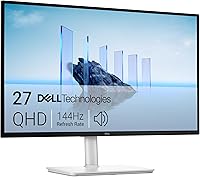
Decide what size monitor for home office work fits your desk, viewing distance, and daily tasks, with clear advice on 24, 27, and 32-inch screens.