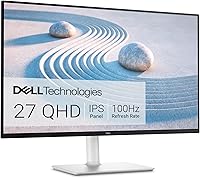
Dell S2725QS vs S2725QC: Which 4K Monitor? (October 2026)
Choose the Dell S2725QC for USB-C with up to 65W power delivery, or the Dell S2725QS for HDMI and DisplayPort. Both are 27-inch 4K IPS monitors with a refresh rate up to 120Hz.
On this page (7 sections)
Choose the Dell S2725QC for USB-C with up to 65W power delivery, or the Dell S2725QS for HDMI and DisplayPort. The Dell S2725QS vs S2725QC choice is mainly about how you connect your computer, since both are 27-inch 4K IPS monitors with refresh rates up to 120Hz.
Both models have a 3840 x 2160 resolution, 99% sRGB color gamut and a 1500:1 contrast ratio. Both offer height, pivot, swivel and tilt adjustments, so the screen size and stand flexibility are closely matched.
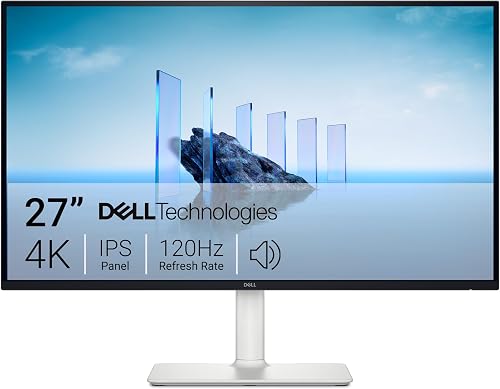

Our scores weigh specs and features against the setup you're shopping for.
Dell S2725QS vs S2725QC: what changes?
The key difference is DisplayPort on the Dell S2725QS and USB-C with up to 65W power delivery on the Dell S2725QC. Pick based on the ports and charging setup you need at your desk.
| Feature | Dell S2725QS | Dell S2725QC |
|---|---|---|
| Screen size | 27 in | 27 in |
| Resolution | 3840 x 2160 | 3840 x 2160 |
| Panel | IPS | IPS |
| Refresh rate | Up to 120Hz | Up to 120Hz |
| Connections | HDMI, DisplayPort | HDMI, USB-C |
| Included signal cable | HDMI, 1.80 m | USB-C to USB-C, 1 m |
| Color gamut | 99% sRGB | 99% sRGB |
| Stand adjustments | Height, pivot, swivel, tilt | Height, pivot, swivel, tilt |
The panel type, resolution, refresh rate and adjustment options match. The practical difference is whether your computer uses DisplayPort or benefits from a USB-C connection that can also supply power.
For more context on Dell's model naming, read Dell monitor models explained. If you're comparing the two models individually, see our Dell S2725QS review and Dell S2725QC review.
Which Dell monitor works better with your computer?
Choose the Dell S2725QC for a compatible USB-C laptop, or the Dell S2725QS for a desktop or dock that uses DisplayPort. Confirm your computer's output before ordering, since your device must support the matching connection.
Dell S2725QS vs S2725QC: which suits a laptop?
The Dell S2725QC suits a laptop desk when you want USB-C between the computer and monitor. Its USB-C connection supports up to 65W power delivery, which lets a compatible laptop receive power through that connection.
Check your laptop's USB-C port capabilities and charging requirements. If it needs more than 65W, or its USB-C port doesn't support display output, check what separate charger or video connection you'll need.
Read what a USB-C monitor is for a plain explanation of the connection and what to check on your computer. USB-C capabilities vary, so the connector shape alone doesn't confirm video or charging support.
The Dell S2725QC also includes HDMI. That gives you another connection option, but USB-C is the feature that may simplify a laptop setup.
Is the Dell S2725QS better for a desktop?
The Dell S2725QS fits a desktop setup that uses DisplayPort or HDMI. Those connections make it a direct match for a computer or dock with either output.
If your graphics card or dock already connects by DisplayPort, that gives you a clear reason to choose the Dell S2725QS. Choose the Dell S2725QC when you can use its USB-C video and power delivery features.
Both monitors support FreeSync Premium and refresh rates up to 120Hz. The refresh rate you can use depends on the source device, connection and settings, so check compatibility if high refresh rate matters to your setup.
Is the picture quality different?
The core picture specifications match: 4K UHD resolution, IPS panels, 99% sRGB and a 1500:1 contrast ratio. Those shared specs alone don't establish a picture-quality winner.
Their 27-inch screens have the same 3840 x 2160 resolution. Neither has a pixel-count advantage, so resolution alone isn't a reason to choose one over the other.
Both support HDR readiness and include ComfortView Plus. Dell says ComfortView Plus reduces blue light emissions to 35% or less without sacrificing color accuracy; that claim doesn't establish a health benefit.
For office work, consider text size and how far you sit from the display. Our guide to whether a 4K monitor is worth it for office work covers the practical tradeoffs of using a high-resolution screen.
Will 4K look too small at 27 inches?
A 27-inch 4K screen can make interface elements and text look small at native scaling. You can adjust scaling in your operating system to make menus and text larger while keeping the high pixel resolution.
Your preference depends on viewing distance, text size and the apps you use. Try different scaling settings to find a readable layout.
The recommended viewing distance for a 27-inch monitor can help you plan where to place the screen. Distance and scaling both affect how readable a 4K desktop feels.
Which stand and desk setup suits each model?
Either 27-inch model offers height, pivot, swivel and tilt adjustments. Check your desk depth, viewing position and any monitor arm plans before buying.
Both monitors measure 24.08 inches wide and 7.89 inches deep. Use those dimensions as a starting point, then leave room for cables and your preferred viewing distance.
Both have an ash white finish, and the Dell S2725QS has ultra-thin bezels. The matching color may help with a light desk setup, while the connection options remain the main functional difference.
If you plan to use a monitor arm, check the mounting requirements and compatibility for the exact model. Don't assume the monitor's desk dimensions tell you whether an arm will fit.
What do both monitors offer beyond the ports?
Both models have built-in speakers, FreeSync Premium, anti-glare screens and the same stand adjustment types. Those shared features give you fewer reasons to choose between them than USB-C and DisplayPort do.
Dell describes both models' speakers as having greater output power, deeper frequency response and more decibel range than the previous generation. That comparison doesn't establish which of these two monitors sounds better.
The built-in speakers may save space if you want fewer devices on your desk. If sound matters to your setup, decide whether monitor speakers will meet your needs or whether you want separate speakers or headphones.
The Dell S2725QS includes a 1.80 m HDMI cable. The Dell S2725QC includes a 1 m USB-C to USB-C cable rated for 10Gbps and 100W, while the monitor's power delivery remains up to 65W.
Should you choose the 32-inch Dell S3225QS instead?
Consider the Dell S3225QS for a larger 32-inch 4K screen with HDMI or DisplayPort. It has the same 3840 x 2160 resolution and up to 120Hz refresh rate, but uses a VA panel rather than IPS.
Its larger screen offers more physical area at the same pixel count, which can make interface elements appear larger at the same scaling. At 28.05 inches wide and 8.73 inches deep, it also needs more desk space than either 27-inch model.
The Dell S3225QS offers height and tilt adjustment. Both 27-inch models offer height, pivot, swivel and tilt, so compare those options if stand flexibility matters to you.
If you prefer a 27-inch screen, stay with the Dell S2725QS or Dell S2725QC. If a larger display matters more, read the Dell S3225QS review before deciding.
Which Dell 4K monitor should you buy?
For the Dell S2725QS vs S2725QC decision, pick the Dell S2725QC for USB-C video and up to 65W power delivery, or the Dell S2725QS for DisplayPort. Confirm your computer's video output and charging needs before choosing.
Both offer HDMI, a 27-inch 4K IPS screen and refresh rates up to 120Hz. If you're still deciding on screen size, our 27-inch versus 24-inch monitor comparison can help you plan your desk.
Frequently asked questions
What is the main difference between the Dell S2725QS and S2725QC?
The main difference is connectivity: the Dell S2725QS has HDMI and DisplayPort, while the Dell S2725QC has HDMI and USB-C with up to 65W power delivery. Both are 27-inch 4K IPS monitors with a refresh rate up to 120Hz, so choose around your computer's connections.
Does the Dell S2725QS have USB-C?
The Dell S2725QS offers HDMI and DisplayPort; USB-C support isn't confirmed here. If you need USB-C video and charging, choose the Dell S2725QC, which supports up to 65W power delivery, and check that your laptop supports video and charging through its USB-C port.
Can the Dell S2725QC charge a laptop?
The Dell S2725QC supports up to 65W power delivery through USB-C for a compatible laptop. Check your laptop's charging requirements and USB-C capabilities before relying on that connection for power, since a laptop that needs more than 65W may still need its own charger.
Are both Dell monitors 4K and 120Hz?
Yes, both the Dell S2725QS and Dell S2725QC have a 3840 x 2160 resolution and support refresh rates up to 120Hz. Both also use IPS panels, though you should check your computer's output and connection capabilities before planning to use the maximum refresh rate.
Should I choose a 27-inch or 32-inch 4K monitor?
Choose 27 inches for a more compact screen, or consider 32 inches if you have room for a larger display. The Dell S3225QS is a 32-inch 4K VA option, so compare desk space, viewing distance and your preferred text size before choosing.